
Stay with us and find out where the next one takes us.
- Snoop Dogg Biopic 2027 – Release Date, Cast and What the Film Covers - October 26, 2026
- 7 Famous Chefs Who Started Their Careers Washing Dishes - October 23, 2026
- What Is the Best Month to Visit Hawaii? Weather, Beaches and the Best Things to Do - October 22, 2026
Ableton Live and FL Studio remain two of the most widely used DAWs in electronic music production as of 2026.
Producers across EDM, hip hop, pop, and experimental genres rely on these platforms for professional results without external tools.
Both DAWs ship with extensive stock plugin collections, yet each follows a very different design philosophy.
One prioritizes focus and cohesion, while the other favors abundance and flexibility.
Let’s go through the most important details.
| Feature | Ableton Live 12 | FL Studio 2026 |
| Editions Available | Intro, Standard, Suite | Fruity, Producer, Signature, All Plugins Bundle |
| Max Instruments (Top Tier) | 20 (Suite) includes Wavetable, Operator, Sampler, Drift, Granulator III | 30+ (All Plugins Bundle) includes Harmor, Sytrus, FLEX, Sakura |
| Max Effects (Top Tier) | 58 Audio FX + 14 MIDI FX + Max for Live devices | 90+ Effects includes Fruity Parametric EQ 2, Gross Beat, Transient Processor |
| Plugin Design Philosophy | Fewer, high-quality, performance-integrated devices | Large variety, modular flexibility, multiple options per effect type |
| Workflow Orientation | Linear + Session View (live focus); fast, focused workflow | Pattern-based + Playlist; highly customizable but steeper learning curve |
| Live Performance Support | Excellent designed for performance with Session View + Push | Limited is better for studio production |
| Plugin GUI Integration | Streamlined, fixed window layout (Device view) | Floating plugin windows, multi-monitor-friendly |
| Preset / Sound Library Size | Up to 71 GB (Suite) | ~1–3 GB built-in; depends on edition; relies more on 3rd party packs |
| Trial Version | 30-day full Suite (with saving/reloading) | Unlimited trial, but can’t reopen saved projects |
Overview of Each DAW’s Plugin Philosophy
Plugin philosophy shapes daily production habits more than raw feature counts.
Ableton Live 12 and FL Studio 2026 approach stock tools with clearly different priorities, influencing how ideas move from concept to finished track.
Ableton Live 12
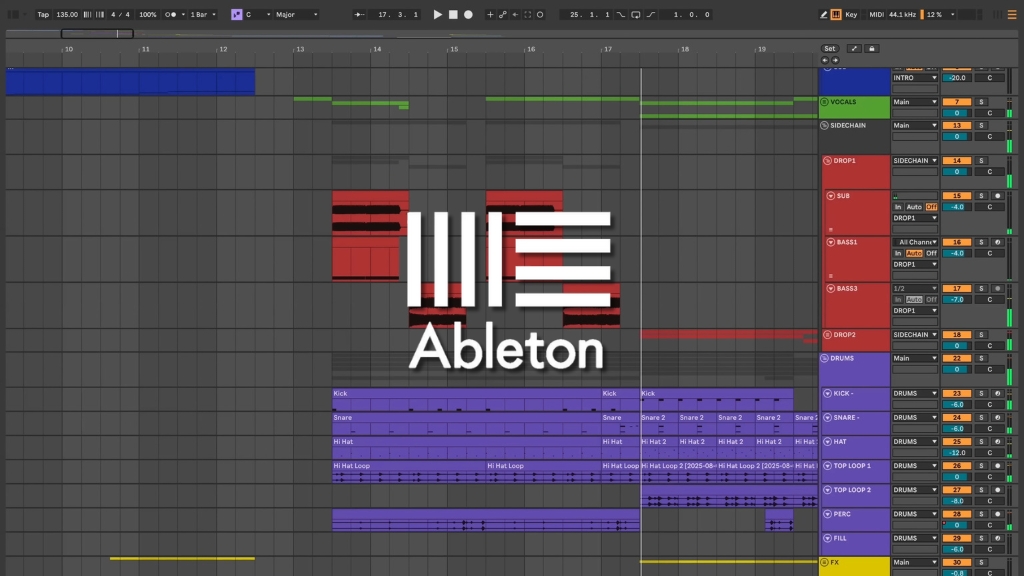
Ableton Live centers on simplicity and streamlined design, aiming to keep attention on music creation rather than option overload.
Device selection feels carefully curated, with each tool serving a clearly defined role inside a cohesive system.
Design logic favors fewer devices with broader depth instead of many alternatives doing similar jobs.
Workflow supports live performance, rapid experimentation, and spontaneous idea capture without interrupting momentum.
Key traits become clear once working inside a project:
- Devices share consistent layouts and control logic
- Most processing happens inside a single window
- Racks allow multiple devices to behave as one instrument or effect
Producers who value clarity, speed, and predictable behavior often gravitate toward Live’s approach.
FL Studio 2026
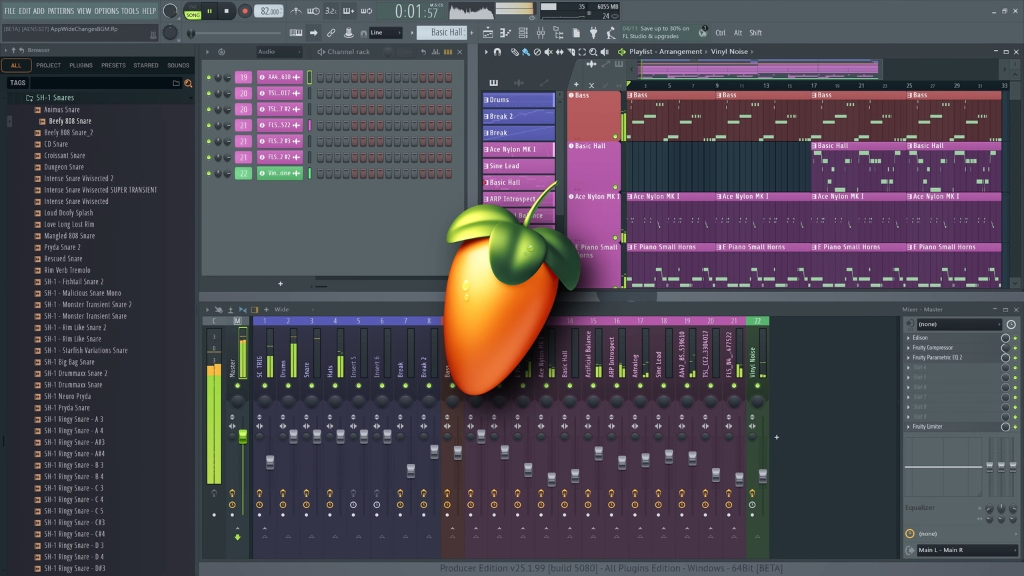
FL Studio prioritizes quantity, customization, and creative freedom at nearly every level.
Plugin menus feel expansive, offering several solutions for the same processing task, each with a slightly different character or workflow.
System architecture encourages experimentation, heavy tweaking, and modular signal paths.
Multiple distortions, EQs, compressors, and creative processors coexist, making trial and error a central part of the creative process.
Design priorities become obvious during longer sessions:
- Numerous plugins cover overlapping sound design roles
- Routing options support complex and unconventional chains
- Visual feedback plays a large role in shaping sounds
Producers who enjoy deep customization and pattern-based workflows often prefer FL Studio’s plugin philosophy.
Workflow and Plugin Usability
Plugin usability influences speed, creativity, and long-term comfort during production sessions.
Ableton Live Workflow
Ableton Live integrates plugins directly into a single-window environment, a clean and focused interface, much like how varifocal glasses let you see clearly across different distances without switching lenses.
Devices chain visually without floating interfaces, keeping focus inside the Session or Arrangement View.
Production tools operate directly on clips and tracks:
- Freeze and flatten functions save CPU instantly
- Resampling happens without leaving the arrangement
- Clip-based workflow supports improvisation
Sessions favor producers who value speed, consistency, and uninterrupted creative flow.
FL Studio Workflow
FL Studio relies on floating windows, allowing multiple plugin interfaces to remain visible simultaneously.
Mixer channels, synths, and piano roll often coexist across screens.
Workflow encourages choice and customization:
- Multiple methods exist for similar tasks
- Piano roll offers deep control for melodic programming
- Step sequencer excels in pattern-based writing
Customization options suit producers who enjoy granular control across every production stage.
What Can We Say About Stock Instruments?
Stock instruments often determine how far a DAW can go without external plugins.
Both platforms provide powerful synths and samplers, though scope and intent differ significantly.
FL Studio Stock Instruments
FL Studio ships in four editions, with instrument access depending on license tier.
Fruity Edition offers limited tools, while Producer, Signature, and All Plugins Bundle unlock full instrument collections.
Instrument selection covers a wide synthesis spectrum. Notable options include:
| Plugin Name | Synthesis Type | Short Description |
| Harmor | Additive with subtractive-style control | Advanced sound design synth focused on harmonic shaping and resynthesis. |
| Morphine | Additive synthesis | Harmonic-based synth with sample resynthesis and spectral morphing. |
| Ogun | Harmonic / FFT-based synthesis | Metallic and complex tones using a large harmonic series. |
| Sytrus | Hybrid FM, additive, subtractive | Versatile synth suited for FM leads, pads, and basses. |
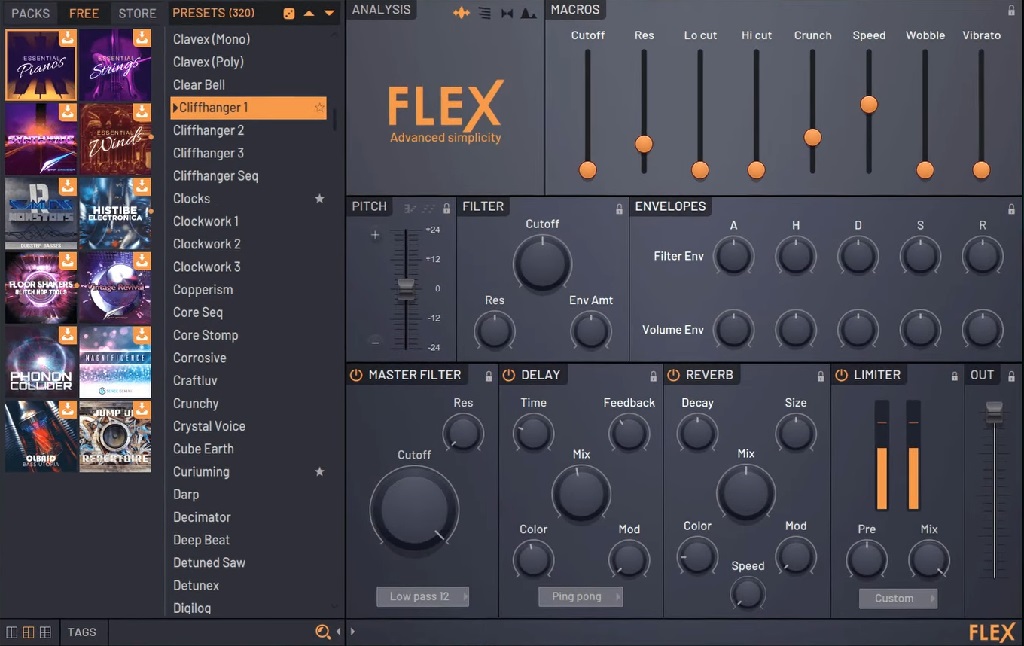
| FLEX | Multi-engine preset synth | Preset-focused instrument for fast, polished sounds. |
| GMS | Hybrid synthesis | Multi-layer synth combining FM and subtractive techniques. |
| 3xOsc | Subtractive synthesis | Lightweight three-oscillator synth for basic tones. |
| Plucked! | Physical modeling | String-style sounds using pluck modeling algorithms. |
Harmor and Sytrus focus on advanced additive and FM synthesis, while FLEX delivers preset-driven sounds aimed at fast production.
Genre flexibility becomes apparent through workflow tools:
- Channel Sampler enables quick audio triggering
- Channel Rack supports step-based sequencing
- Pattern system favors loop-driven composition
Strength comes through sheer breadth and immediate access to many synthesis styles suited for hip hop, trap, and EDM production.
Ableton Live Stock Instruments

Ableton Live arrives in three tiers: Intro, Standard, and Suite.
Suite unlocks the full instrument collection, totaling over 90 devices paired with more than 70GB of sound content.
Core instruments include:
| Instrument | Synthesis | Primary Function |
| Operator | FM synthesis with subtractive elements | FM-based synthesis with flexible routing |
| Wavetable | Wavetable synthesis | Wave scanning with advanced modulation |
| Drift | Subtractive synthesis with MPE support | Expressive analog-style synthesis |
| Analog | Virtual analog synthesis | Classic analog synth modeling |
| Sampler | Advanced multi-sample playback | Deep sample mapping and modulation |
| Simpler | Single-sample playback | Fast sample playback and editing |
| Drum Rack | Instrument and sampler container | Pad-based instrument and sample routing |
Granulator III, added in Live 12, expands granular processing possibilities for experimental textures and evolving sound design.
Instrument workflow focuses on interaction and control:
- Seamless MIDI mapping with controllers and Push
- Racks enable layered instruments and macro control
- Audio and MIDI manipulation feel tightly connected
Strength centers on sound design depth, unconventional textures, and advanced MIDI transformation.
Mixing, Mastering, and Creative Processing
Stock effects shape how far a mix can progress without external processors.
Both DAWs cover essentials while also leaning into creative sound shaping.
FL Studio Effects
FL Studio includes a large catalog of categorized effects designed for both technical processing and creative manipulation.
Core tools include Fruity Parametric EQ 2, Fruity Compressor, Fruity Reverb, and Fruity Delay Bank.
Higher-tier bundles add advanced processors such as:
| Plugin Name | Primary Function | Typical Use Case |
| Gross Beat | Time and volume-based audio manipulation | Glitch effects, stutters, rhythmic gating, live beat edits |
| Pitcher | Real-time pitch correction and harmony | Vocal tuning, autotune-style effects, MIDI harmonies |
| Transient Processor | Transient attack and sustain shaping | Add punch to drums, tighten percussive sounds |
| LuxeVerb | Algorithmic reverb processing | Create space, depth, and ambient tails |
Gross Beat remains especially popular for rhythmic gating, time manipulation, and glitch-style effects.
Processing style benefits experimental sound shaping:
- Strong visual feedback inside plugin interfaces
- Modular routing encourages complex chains
- Most effects remain available across editions
Ableton Live Effects
Ableton Live offers a streamlined yet powerful effects lineup built around minimal interfaces with deep internal control.
Devices include:
| Effect Name | Category | Typical Uses |
| Glue Compressor | Dynamics processing | Drum buses, mix cohesion, punch control |
| Echo | Delay effect | Rhythmic repeats, stereo delays, ambience |
| Amp | Amp simulation / distortion | Saturation, tone shaping, distortion |
| Corpus | Physical modeling | Resonant textures, metallic tones |
| Spectral Time | Spectral delay and freeze | Glitch effects, ambient textures |
| Hybrid Reverb | Reverb | Spatial depth, creative reverb |
Effects favor fast interaction rather than visual complexity. Audio Effects Racks allow chains to behave as single devices with macro control mapped across multiple parameters.
Performance-oriented features play a major role:
- Macro Snapshots recall multiple settings instantly
- Automation integrates smoothly with live recording
- Effects respond well to real-time manipulation
Editions and Plugin Access
Edition structure affects long-term value and plugin availability. Ableton Live offers Intro, Standard, and Suite tiers.
Intro includes roughly 1,500 sounds, 5GB of content, and 33 devices.
Standard expands effects and sound count. Suite unlocks over 5,000 sounds, more than 70GB of content, full instrument access, and Max for Live.
FL Studio editions range from Fruity to All Plugins Bundle.
Fruity Edition includes around 82 stock plugins, while All Plugins Bundle unlocks over 102 instruments and effects.
Update policies differ significantly:
- FL Studio includes free lifetime updates
- Ableton Live requires paid upgrades
- Sound Libraries and Presets
Sound libraries influence how quickly ideas take shape during early production stages.
Ableton Live provides curated sound collections ranging from 5GB to 70GB, depending on the edition. Organization relies on tagging, color-coded collections, and searchable categories.
Downloadable Packs integrate tightly with device workflows and performance tools, focusing on instruments, effects, and playable setups.
FL Studio ships with lighter native sound libraries and often leans on external platforms such as Loopcloud.
Preset growth thrives through community sharing and third-party expansion packs, offering constant variety for producers who enjoy sourcing sounds externally.
Final Thoughts
Both DAWs offer demo versions suited for hands-on evaluation. FL Studio provides a time-unlimited demo with restricted project reopening. Ableton Live offers a 30-day full Suite trial.
No universal best DAW exists. Creative flow, plugin usability, and workflow preferences ultimately determine which platform feels stronger for individual producers.
Testing both environments remains essential before committing to a purchase.