
Stay with us and find out where the next one takes us.
- Seattle Housing Market 2026, Is Now a Better Time to Buy a House? - October 21, 2026
- US States Ranked by Work-Life Balance, Where Are People Happiest? - October 20, 2026
- More Than 30% of Homes in California Now Sell for Over $1 Million - October 20, 2026
A Digital Audio Workstation, or DAW, is the central software environment used to record, arrange, edit, mix, and export music.
Producers, songwriters, beat makers, and audio engineers all rely on DAWs, but each platform approaches music production differently.
Choosing a DAW usually comes down to four factors: operating system, music style, preferred workflow, and budget.
Switching platforms too often can slow progress because every DAW requires time to learn, so mastering one system is usually more valuable than constantly moving between programs.
Options in 2026 range from free beginner software to advanced platforms designed for large recording sessions and professional post-production.
Seven DAWs stand out for different users, production styles, and experience levels.
1. Ableton Live – Best for Electronic Music and Live Performance
Ableton Live is one of the strongest choices for electronic music producers, DJs, remixers, and musicians who perform with software on stage.
Its workflow is built around two main environments that support different ways of creating music.
Session View allows clips and loops to be launched in a non-linear format, making it easy to experiment with arrangements before committing to a finished structure.
Arrangement View offers a more traditional timeline for building complete songs.
Audio warping is another major advantage. Producers can stretch, synchronize, and manipulate recordings while keeping them aligned with the project tempo.
MIDI editing, built-in instruments, effects, and Max for Live expand the creative options even further.
Key details include:
- Platforms: Windows and macOS
- Ableton Live Intro: $99
- Ableton Live Standard: $449
- Ableton Live Suite: $749
- Intro track limit: 16 audio and MIDI tracks
- Intro sound library: Around 1,500 sounds
Electronic genres such as house, techno, and EDM fit especially well with Ableton’s clip-based workflow.
Live performers can also trigger loops, samples, effects, and complete song sections during a set.
Cost becomes the primary drawback. Intro offers an accessible entry point, but producers who need the larger instrument library and more advanced tools may eventually need Standard or Suite.
2. Logic Pro – Best for Mac Users
Logic Pro offers a strong balance of songwriting, recording, MIDI production, audio editing, virtual instruments, and mixing.
Mac users can move from basic music creation to professional production without changing software ecosystems.
GarageBand users get an especially simple upgrade path because GarageBand projects can open directly in Logic.
Existing recordings and song ideas can therefore continue inside a much more advanced production environment.
More than 70 GB of included content gives producers access to samples, loops, instruments, and additional production resources.
Alchemy provides powerful synthesis options, while Sampler supports detailed sample-based instrument creation.
Stock effects also cover most common mixing tasks, including EQ, compression, delay, modulation, reverb, and dynamics processing.
Important details include:
- Platforms: macOS and iPadOS
- Price: About $199.99 as a one-time purchase
- Included content: More than 70 GB
- Notable instruments: Alchemy and Sampler
Songwriters can record vocals and instruments, program MIDI parts, arrange tracks, and complete a mix inside one application.
Pricing also makes Logic attractive compared with professional software that requires recurring subscriptions.
Platform availability is its biggest limitation. Windows users cannot install Logic Pro, making it relevant almost exclusively to people already working within Apple’s hardware ecosystem.
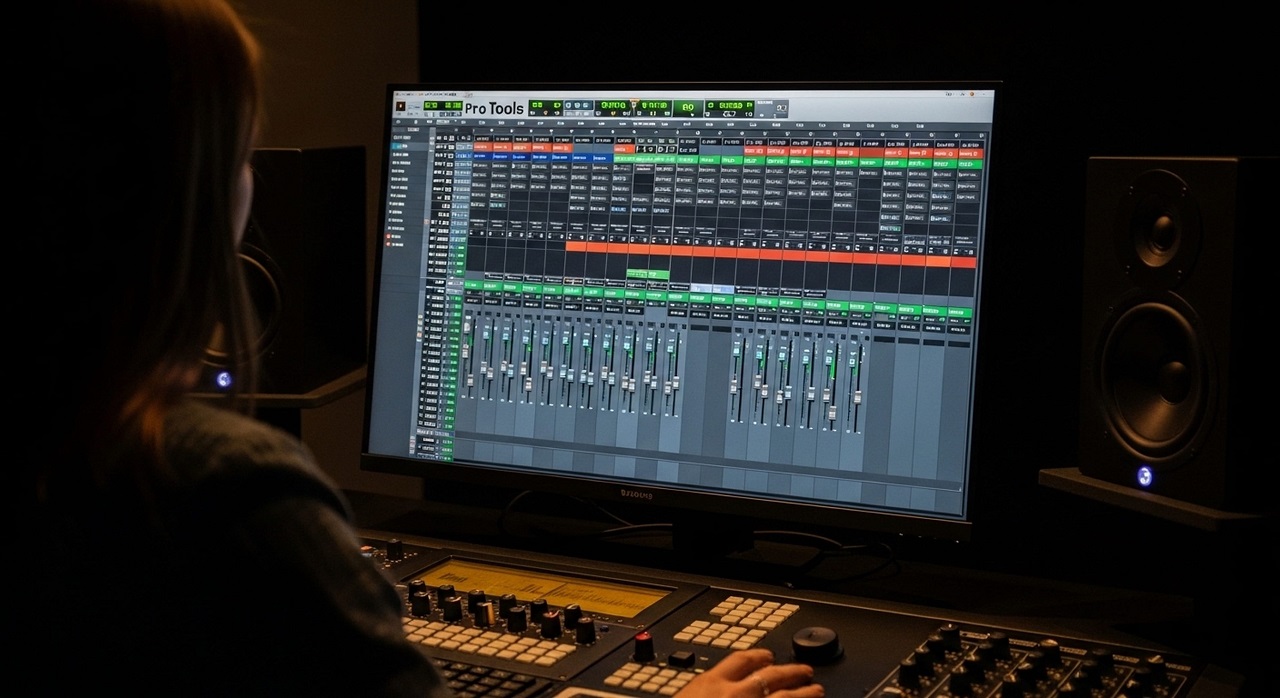
3. Pro Tools – Best for Professional Audio Engineering
Pro Tools is built around professional recording, editing, mixing, and post-production workflows.
Recording studios, engineers, and students preparing for audio production careers often encounter it in professional environments.
Large multitrack sessions are one of its strongest areas. Engineers can record multiple microphones or instruments, edit performances in detail, manage complex routing, and organize demanding studio projects.
Elastic Audio provides flexible timing correction and audio manipulation.
Surround workflows and advanced editing capabilities also make Pro Tools useful for film, television, and other post-production work.
Sound designers working on cinematic or post-production projects can also import external assets such as boom sounds to add low-frequency impact to trailers, transitions, action scenes, and dramatic moments.
Important details include:
- Platforms: Windows and macOS
- Free option: Limited version available
- Pro Tools Artist: Around $9.99 per month
- Pro Tools Studio: Around $30 per month
Professional relevance is a major reason students and aspiring engineers continue learning Pro Tools.
Familiarity with its editing, routing, and session-management workflow can be useful when working in commercial studios.
4. FL Studio – Best for Beat-Making
FL Studio has become a popular production platform for hip-hop, trap, pop, EDM, and sample-based music.
Its pattern-oriented workflow allows producers to build drums, melodies, and loops quickly before arranging them into complete tracks.
Step Sequencer is especially useful for drum programming. Kick, snare, hi-hat, percussion, and other sounds can be placed into rhythmic patterns with minimal setup.
Piano Roll is another major strength. MIDI notes, chords, melodies, velocity changes, and automation can be edited quickly, making FL Studio particularly attractive for producers who create most of their music inside the computer.
Pricing generally falls into several editions:
- Entry editions: Around $99
- Producer Edition: Around $199
- Higher editions: Up to roughly $499
Lifetime free updates add significant long-term value. Users can buy an edition and continue receiving future updates without purchasing every major new version separately.
Traditional multitrack recording can feel less natural than it does in Reaper, Logic Pro, or Studio One.
Bands and engineers recording many live instruments may therefore prefer a DAW built more directly around conventional studio sessions.
5. Studio One – Best All-Round DAW
Studio One combines recording, composition, editing, mixing, and mastering inside a relatively streamlined interface.
Producers who want one platform for several stages of music production can complete most tasks without moving between separate applications.
Drag-and-drop operation simplifies many common actions. Instruments, effects, samples, and routing elements can often be added directly into a session without navigating complicated menus.
Project Page is especially useful for mastering. Finished mixes can be connected to a dedicated mastering environment, allowing users to organize songs, adjust processing, and prepare complete releases.
Key details include:
- Platforms: Windows and macOS
- Prime: Free
- Artist: Around $99
- Professional: Around $399
Songwriters can compose and record, producers can build arrangements, engineers can mix, and mastering work can continue inside the same broader ecosystem.
Community size is one drawback. Ableton Live, Logic Pro, and FL Studio generally have larger tutorial libraries and user communities, so beginners may find fewer third-party learning resources for certain Studio One workflows.
6. Reaper – Best Budget DAW for Engineers
Reaper offers professional recording and mixing capabilities at a much lower price than many competing DAWs.
A personal license costs about $60, and users can test the software through a full 60-day evaluation period.
Platform support is unusually broad. Windows, macOS, and Linux users can all run Reaper, making it the most flexible option in this group in terms of operating systems.
Efficient performance is another advantage. Low CPU usage helps Reaper handle larger sessions without placing unnecessary demand on a computer.
Engineers also get extensive routing, scripting, and customization options.
Menus, shortcuts, actions, and interface elements can be adjusted to suit individual workflows.
Core details include:
- Platforms: Windows, macOS, and Linux
- Personal license: About $60
- Evaluation period: 60 days
- Strengths: Low CPU usage, flexible routing, scripting, and extensive customization
Recording and mixing engineers who want professional functionality without monthly payments can get exceptional value here.
Default appearance is less polished than many competing DAWs. New users may also need more setup and customization before Reaper feels intuitive.
7. GarageBand – Best Free DAW for Beginners
GarageBand offers one of the simplest ways to start producing music on Apple devices.
Users can record audio, create MIDI parts, work with loops, add effects, and build complete songs without purchasing additional software.
Software instruments cover keyboards, synthesizers, guitars, basses, drums, and other common sounds.
Smart Drummer tools can generate drum parts quickly, which helps beginners build arrangements without manually programming every hit.
Apple Loops also provide a large collection of ready-to-use musical material. More than 2,500 loops are available, giving new producers plenty of material for practicing arrangement and production techniques.
Main details include:
- Platforms: macOS, iPadOS, and iPhone
- Price: Free
- Loop library: More than 2,500 loops
- Upgrade path: Projects can open directly in Logic Pro
Moving projects into Logic Pro gives GarageBand users a practical path into more advanced production.
Song ideas created during the beginner stage can continue inside a professional DAW without needing to rebuild the project.
Advanced routing, detailed mixing, and large professional sessions eventually expose GarageBand’s limitations. Beginners can still learn recording, MIDI, arrangement, and basic mixing before deciding if more advanced software is necessary.
How to Choose the Right DAW
Picking the right DAW becomes easier once the main goal is clear.
Producers focused on beat-making need different tools than engineers recording live bands or composers working primarily with MIDI.
Best options by use case include:
| Best For | Recommended DAW |
| Beginners | GarageBand, FL Studio, Studio One |
| Electronic music and live performance | Ableton Live |
| Mac users and songwriters | Logic Pro |
| Professional recording and engineering | Pro Tools |
| Beat-making and hip-hop | FL Studio |
| Budget-conscious engineers and Linux users | Reaper |
| Recording, songwriting, and mastering in one workflow | Studio One |
Operating system should be checked first because some options have strict platform limitations. Logic Pro and GarageBand are tied to Apple devices, while Reaper works across Windows, macOS, and Linux.
Budget also matters. GarageBand costs nothing, Reaper offers professional features for about $60, and Ableton Live Suite reaches $749.
Subscription-based software such as Pro Tools creates a different long-term cost structure than one-time purchases.
Workflow should carry just as much weight as price.
Beat producers may prefer FL Studio’s pattern system, electronic musicians may work faster in Ableton’s Session View, and recording engineers may feel more comfortable in Pro Tools or Reaper.
Summary
No single DAW fits every producer, songwriter, or engineer. Genre, operating system, workflow, budget, and professional goals all influence which platform makes the most sense.
Learning one DAW thoroughly usually creates better results than switching platforms whenever a new option looks interesting.
Familiarity with recording, editing, MIDI, routing, mixing, shortcuts, and project organization will matter more over time than choosing a platform based only on popularity.